- Softonic Rating:
- Very good:8/10
- License:
- Free
- Added:
- September 13, 2007
- Updated:
- May 13, 2008
- Publisher:
- Website
- File size:
- 1.8 MB
- Downloads:
- 334
- DownloadFree
“Drag, drop and resize”
by Cyril Roger
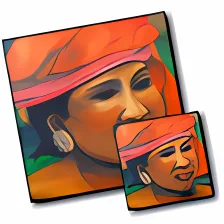
RapidoResizer makes resizing your pictures a simple two step process. Add the images you want to edit, set the new size and it's all done. The application lets you keep the same image structure by letting you resize proportionally. You can also load multiple image and batch resize them. The interface of RapidoResizer looks sleek, and the top part of the tools window will show image details like file size and name. You can also go back to the original image settings just by clicking the button at the bottom of the interface.
RapidoResizer may not be the most advanced of applications, but it works like a charm. If there's one thing to complain about it would be how you can't look at multiple pictures all at once and instead have to browse through them one by one. We suggest using this program if you don't need to do any advanced editing on an image and just need a quick resizing.
RapidoResizer is great for quickly resizing loads of images and best of all it's completely free!

Languages:
English, French
OS requirements for RapidoResizer:
- OS: Mac OS X
Minimum requirements:
- Processor: PPC/Intel MHz
- Mac OS X 10.4 or later
- Batch resize
- Leopard style interface
- Browsing through multiple pictures
Featured program
Softonic gives special recognition to software of exceptionally high quality. More information
From the publisher of RapidoResizer
If you ever need to work in design, web design, photos work, or general image editing, you may need to resize an image. There ain't many methods which you can do it quickly and easily.
RapidoResizer (previously known as Resize 'Em All) is the ultimate solution. It allows you to resize your pictures and then to save them. Also, with this utility, you can extract applications icons.
Once you have opened an image or a group of images you get a range of options for you to apply to the image. This enables you to change the dimensions quickly an easily. If you want
to apply this to many images at a time, it's also possible with the batch function.
In addition to resizing the image (with or without keeping proportions), RapidoResizer allows you to rotate the image, and change the picture to a variety of popular file types.
Sponsored Links
Programs similar to RapidoResizer
RapidoResizer options
Reviews for RapidoResizer in other languages
- RapidoResizer (Testbericht auf Deutsch)
- RapidoResizer (Análisis en español)
- RapidoResizer (ex Resize 'Em All) (Le test en français)
User Rating
1 rating- Usability
-
- Currently 7/10.
- Stability
-
- Currently 7/10.
- Installation
-
- Currently 8/10.
- Functionality
-
- Currently 4/10.
- Appearance
-
- Currently 6/10.